It's not possible to use PowerBI to generate the API login token required to consume the API. However, there is a workaround which is to first request the login API through other tools (eg: Postman) to get the token, then use the token to request other APIs in PowerBI to get the data.
Steps
- Login via other tools (example screenshots are using Postman)
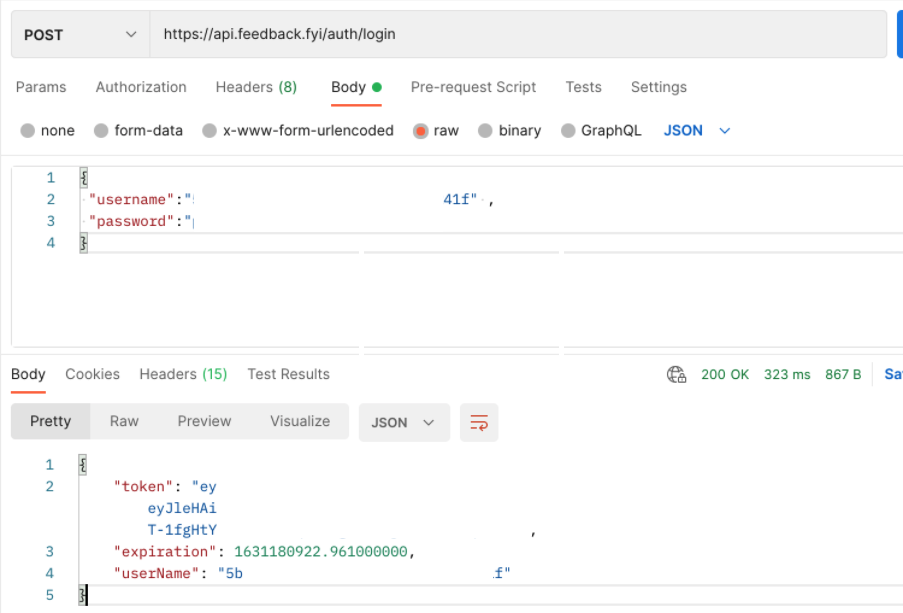
- Copy token
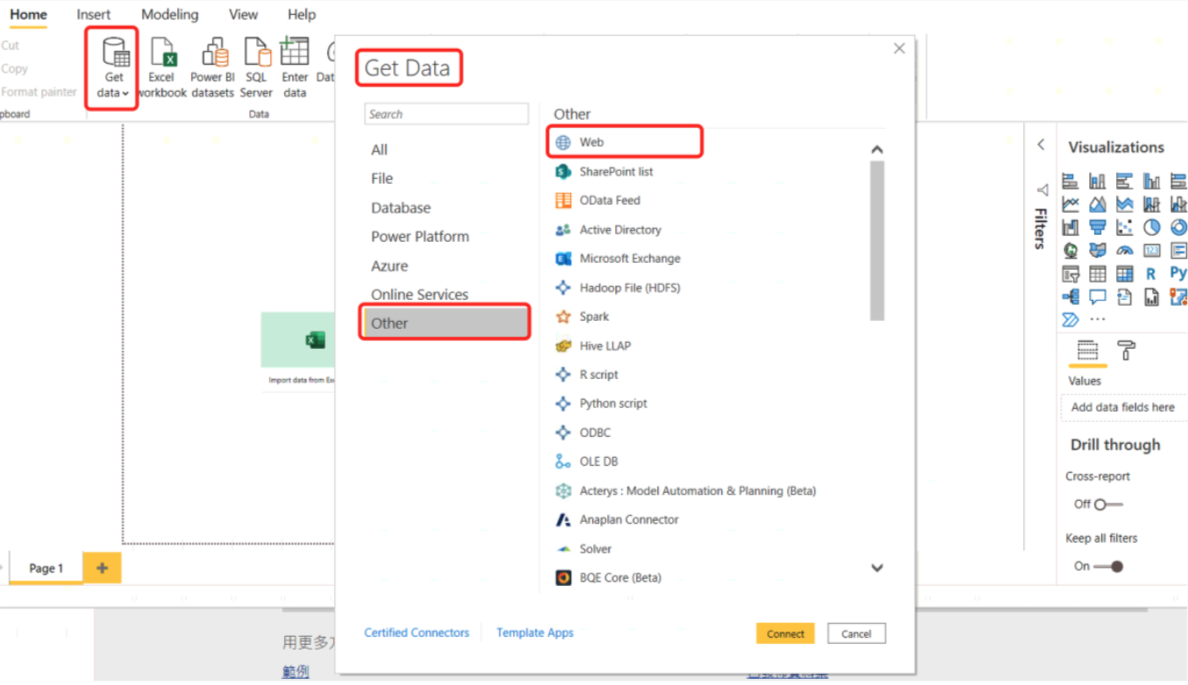
- Open PowerBI Desktop
- Click 'Get Data' > 'Other' > 'Web'
- Choose 'Advanced'
- Enter the API URL(eg: example uses the Feedback Summary API)
- Add Header information
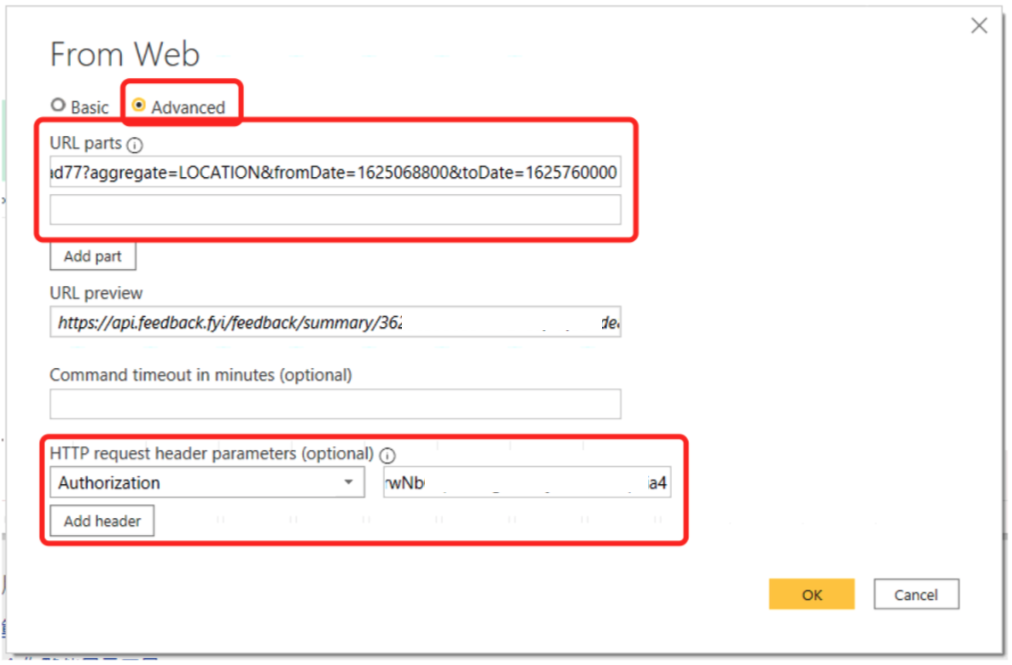
- Click 'OK' button
This request should return results like this: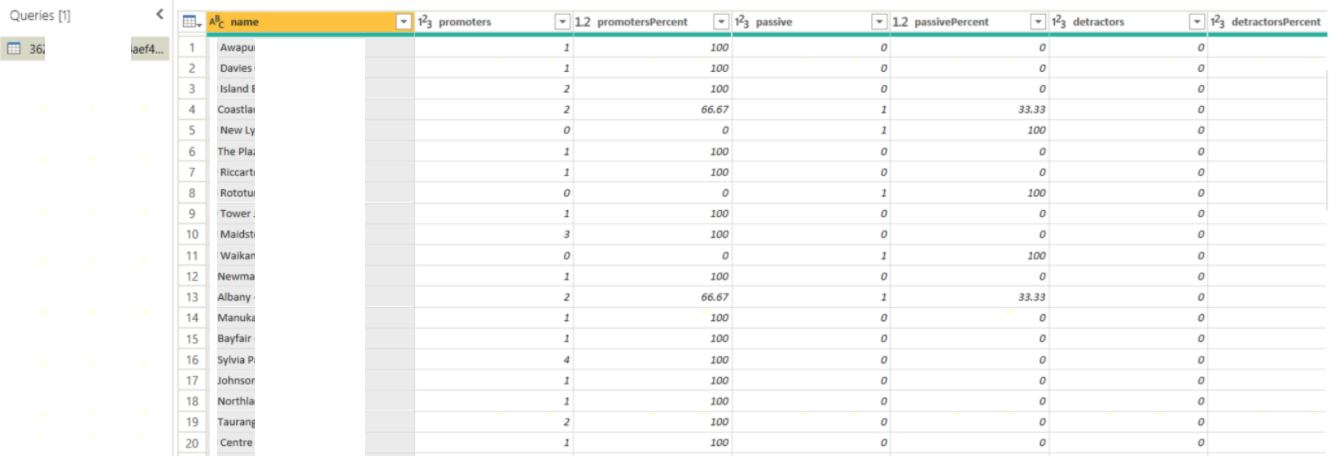
Timestamp
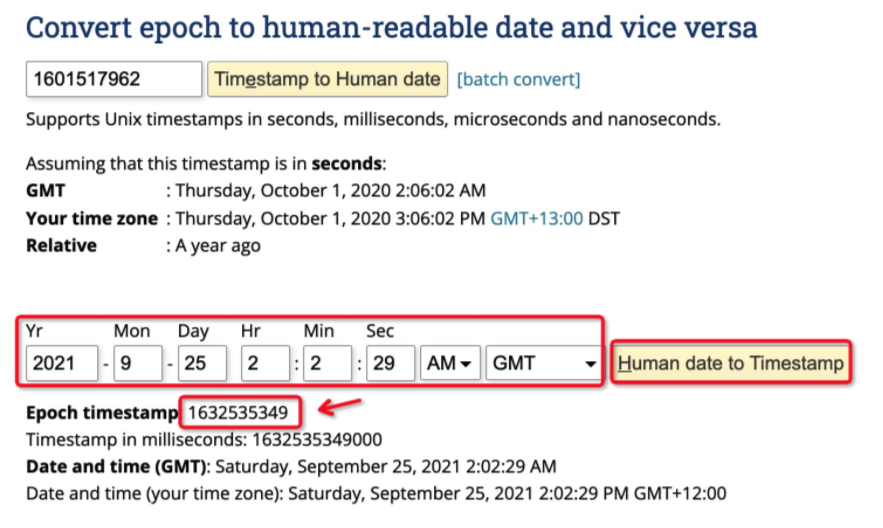
Customer Radar API returns results using Unix/epoch time. To convert it to human readable time you can use https://www.epochconverter.com/
Example: